|
PDS zone problem description
Handset does not turn on, gets detected in SmartMoto, full flashing does not help. Possible problems: hardware or software.
SmartMoto can not fix any hardware problem.
Software: One of few reasons could be corrupted PDS zone.
"Error 0x1DE" issue
On some phones like V975, C975, V980, C980, E1000 and V1050 you may encounter "Error 0x1DE" on phone display. To solve this you need to use SmartMoto. On "Unlock" section execute "Start unlock procedure" with phone connected through clip. Boot mode should be engaged via *# + PowerOn with regular cable or just using the "forced boot mode" repair cable.
How to force P2K phone to enter boot mode?
With P2K phones with mini USB socket you should power the phone off, simultaneously press * and #, then power the phone ON. The phone should enter boot mode.
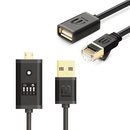
For other P2K phones you should use special cable to force boot mode (it has 13th and 14th pins shorted). Specifically - remove battery, connect cable, insert battery, power the phone ON.
You may wish to check out the cable pinouts
Problems with ActiveX client:
If you have problems running unsigned ActiveX, please open Explorer's menu Tools > Internet Options > Security > Custom Level and change "Download unsigned ActiveX controls" to "Prompt"
If you encounter problems during update make sure that:
- Firewall on your computer (or your LAN) is configured properly or disabled
- You have reliable internet connection
- LPT port settings are set to EPP in BIOS
- Your LPT cable works properly
- You use a stable power supply with your clip (use power adapter)
- Your IE version is not lower than v5.0
- If you run update under WinXP, log in as Administrator or any other account with administrative rights
If you have problems updating under WinXP please download PortTalk file, unzip it and run install.bat. After that reboot your computer.
If during update appears the message "Please update client" - you should perform the following: Open your folder Windows --> Downloaded program files. Find a file named CSmartClient_object, delete it, restart your PC and try to update again.
If you still have problems with update send the following to support {at} smart-clip.com :
- Log file you get at update failure
- Description of what had happened and a current status of clip
If you encounter unlock problems make sure that:
First of all, make sure the phone model you are trying to unlock is in
the list of supported models.
If it is, you need to make sure the phone you are unlocking is charged to its full battery capacity and
that battery connection poles are clean. Make sure your cable
connection is good too. Use power adapter for Smart-Clip while
unlocking.
|